
You are here: Start » Web HMI » Web HMI Controls » PictureBox
PictureBox
A control that displays an image with additional metadata.
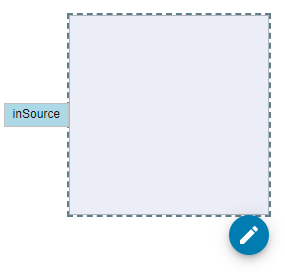
Properties
| EnableZooming |
|
Defines whether zooming functionality is enabled for the picture box. |
| FitMode |
|
Defines how the image should be resized to fit its container. The value is compatible with the CSS |
| Height |
|
Defines the CSS height of the control. |
| HideMetadata |

|
Defines whether to hide the metadata displayed in the picture box. |
| InitialIsEnabled |
|
Defines the initial enabled state of the component that is used before the first value is set through the connection. |
| InitialIsVisible |
|
Defines the initial visibility of the component that is used before the first value is set through the connection. |
| IsEnabled |
|
Defines the enabled state of the component. |
| IsVisible |
|
Defines the visibility of the component. |
| Margin |
|
Defines the CSS margin of the control. |
| MaxHeight |
|
Defines the CSS max-height of the control. |
| MaxWidth |
|
Defines the CSS max-width of the control. |
| Metadata |
|
Defines the additional textual data displayed in the picture box. |
| MetadataColors |
|
Defines the colors associated with the metadata displayed in the picture box. |
| MinHeight |
|
Defines the CSS min-height of the control. |
| MinWidth |
|
Defines the CSS min-width of the control. |
| Name |
|
Defines the control name that identifies the control in the program and in the XAML. The name must be unique within the parent endpoint. |
| Position |
|
Defines the image alignment within the picture box using the CSS |
| Source |
|
Defines the source of the image displayed in the picture box. |
| Width |
|
Defines the CSS width of the control. |
Events
| Click | Occurs when the picture box is clicked. |